
-
WORK 5 - AMD Ryzen 5 5500 / GeForce RTX 5060 Workstation PC
Regular price RM3,198.00Regular priceRM3,499.00Sale price RM3,198.00Sale -
WORK 5 - Intel Core Ultra 5 225F / GeForce RTX 5060 Workstation PC
Regular price RM4,298.00Regular priceRM4,699.00Sale price RM4,298.00Sale -
WORK 5 - Intel Core Ultra 5 225F / GeForce RTX 5060 Ti 16GB Workstation PC
Regular price RM5,278.00Regular priceRM5,699.00Sale price RM5,278.00Sale -
WORK 5 - AMD Ryzen 5 7500F / GeForce RTX 5070 Workstation PC
Regular price RM5,839.00Regular priceRM6,299.00Sale price RM5,839.00Sale -
WORK 7 - AMD Ryzen 5 7500F / GeForce RTX 5070 Ti Workstation PC
Regular price RM7,088.00Regular priceRM7,499.00Sale price RM7,088.00Sale -
WORK 7 - AMD Ryzen 5 7500F / GeForce RTX 5080 Workstation PC
Regular price RM8,988.00Regular priceRM9,699.00Sale price RM8,988.00Sale -
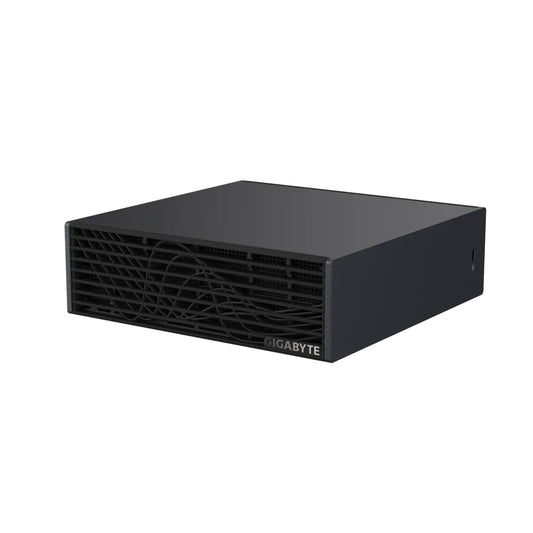
GIGABYTE AI TOP ATOM NVIDIA DGX Spark Grace Blackwell Computer - 1TB / 4TB
Regular price From RM15,888.00Regular priceRM18,999.00Sale price From RM15,888.00 -
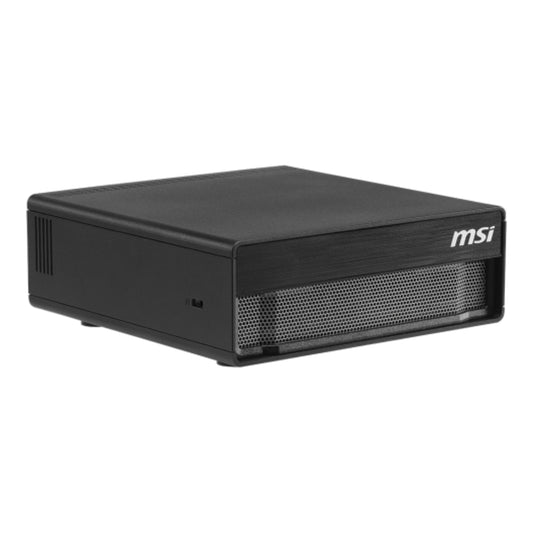
MSI EdgeXpert MS-C931 NVIDIA DGX Spark Grace Blackwell Computer 4TB Gen5
Regular price RM21,998.00Regular priceRM22,999.00Sale price RM21,998.00 -
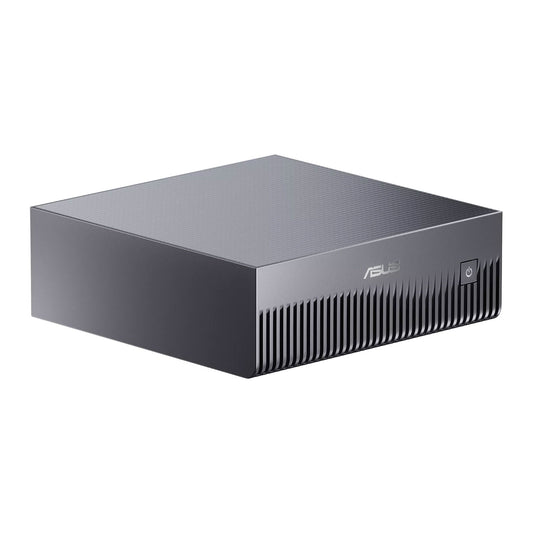
ASUS Ascent GX10 NVIDIA DGX Spark Grace Blackwell Computer - 1TB / 2TB / 4TB
Regular price From RM25,549.00Regular priceRM21,999.00Sale price From RM25,549.00 -
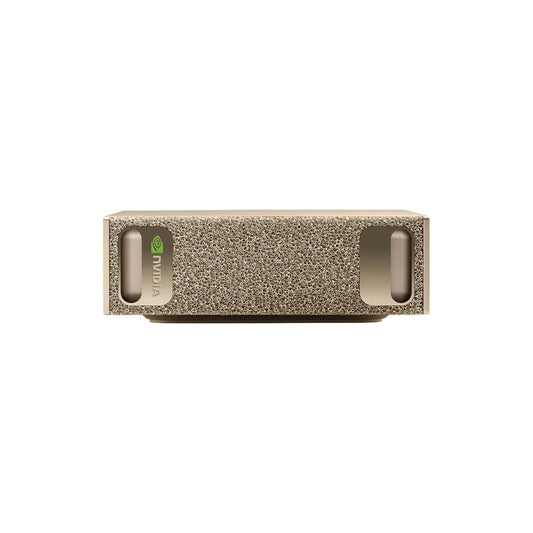
NVIDIA DGX Spark Founders Edition Grace Blackwell Computer
Regular price RM23,699.00Regular priceRM24,999.00Sale price RM23,699.00 -
WORK 9 - AMD Ryzen 9 9950X3D / GeForce RTX 5090 32GB Workstation PC
Regular price RM23,788.00Regular priceRM24,599.00Sale price RM23,788.00Sale









FAQ
Questions, answered.
What you need to know about EMARQUE Workstation PCs — what they're built for, how to spec them for your software stack, and how we deploy and support them across Malaysian creative studios, engineering teams, and research labs.
-
What is an EMARQUE Workstation PC?
EMARQUE Workstation PCs are purpose-built systems for professional creators and engineers who need sustained performance under heavy load — 4K and 8K video editing, 3D rendering, motion graphics, simulation, and AI/ML workloads. Each is configured around a high-VRAM GPU, multi-core CPU, ECC-capable memory, fast NVMe scratch, and a chassis designed for sustained thermal load. Built and validated in our Malaysia workshop, backed by the full EMARQUE warranty stack.
-
Who is a Workstation PC for?
Best fit:
- Video editors and colorists (Premiere Pro, DaVinci Resolve)
- 3D artists and animators (Blender, Cinema 4D, Maya, 3ds Max, Houdini)
- Motion designers (After Effects, Cavalry, complex compositing)
- CAD / engineering (SolidWorks, AutoCAD, Revit, Inventor, simulation)
- AI / ML researchers (training, fine-tuning, Stable Diffusion, smaller LLMs)
- Architects, photographers, scientific computing
Common need: a system that doesn't choke under 8-hour render sessions, multi-stream 4K timelines, or batch processing.
-
Workstation PC vs Gaming PC — what's the real difference?
Same parts category, different priorities:
- Sustained thermals — workstations spec for hours of full load, not 30-min gaming. Better case airflow, larger CPU cooling, PSU headroom.
- GPU choice — workstations prioritize VRAM (24GB+ for 3D / 8K video) over peak FPS. RTX PRO Blackwell over consumer GeForce when ECC + ISV certs matter.
- CPU strategy — high core count (Ryzen 9 / Threadripper / Xeon) for export and render, vs gaming-tuned 8-core chips.
- Memory — ECC RAM optional, for stability on multi-day jobs.
- Storage — NVMe arrays for sustained read/write, not single-drive game libraries.
- Reliability — 24/7-capable, redundant cooling, longer service life.
Workstations CAN game, but the spec is tuned for production-grade workloads.
-
Which GPU should I choose for video editing / 3D rendering / AI?
Based on current industry benchmark data for content creation workloads:
- DaVinci Resolve — RTX 5090 leads (34% faster than RTX 4090 in GPU effects), then RTX 5080, RTX 4090
- Adobe Premiere Pro — RTX 5090 / 5080 for general workflows. AMD RX 9070 XT is competitive on Long GOP / interframe codecs (~25% faster than 50 Series in that specific codec class)
- Blender (multi-GPU support) — RTX 5090 (29% faster than 4090), then RTX 5080 / 5070 Ti
- OctaneRender & Redshift — NVIDIA only; RTX 5090 leads (~23% gen gain Octane, ~7% Redshift)
- AI workloads (Stable Diffusion, smaller LLM fine-tuning) — RTX 5090 (32GB) or step up to RTX PRO 6000 Blackwell (96GB GDDR7 ECC) for production AI
- CAD / simulation — RTX 5070 Ti / 5080 for general CAD; RTX PRO Blackwell for ISV-certified workflows
VRAM by resolution (Premiere Pro reference): 1080p — 4GB; 4K — 8GB; 6K — 12GB; 8K+ — 16GB or more.
EMARQUE pairs the GPU to your actual software stack — we'll talk through your exact workload.
-
Which CPU should I choose for my workload?
Recommended CPU choices by workload (current industry benchmark guidance):
- Adobe Premiere Pro (general) — AMD Threadripper 9970X tops the charts on most workloads; for H.264 / H.265 (HEVC) workflows, Intel Core Ultra 7 270K Plus is excellent and very reasonably priced thanks to built-in Quick Sync
- DaVinci Resolve — GPU-driven, but a strong CPU still matters. Threadripper 9970X or Core Ultra 9 285K is the safe pick
- After Effects + multi-app workflows (Premiere + AE + DaVinci) — Intel Core Ultra 9 285K
- Multi-GPU rendering (OctaneRender, Redshift, V-Ray RTX) — AMD Threadripper PRO 9965WX (24-core) for the PCIe lanes needed to support up to 4 GPUs in one tower
- Unreal Engine 3D / general 3D dev — AMD Threadripper (non-PRO) — many cores at lower platform cost than Threadripper PRO
- AI training / fine-tuning — GPU does the heavy work; pair with a mid-tier 12–16-core CPU you can afford and put the savings into more GPU
Don't overspend on CPU if your renderer is GPU-accelerated. Don't underspend if you're export-bound.
-
How much RAM do I need, and do I need ECC?
RAM sizing by workload (current industry guidance):
- 1080p video editing — 64GB minimum
- 4K editing — 96GB
- 6K editing — 128GB
- 8K editing — 192GB
- 12K editing / heavy compositing / multi-stream — 256GB+
- 3D rendering — 64–128GB depending on scene complexity and renderer
- AI fine-tuning / training — 64GB+ paired with high-VRAM GPU
- CAD / simulation — 64GB sweet spot for most workflows
ECC (error-correcting) RAM matters when stability over long runs matters — multi-day simulations, scientific computing, financial modeling, AI training, color-critical workflows where a single bit flip can corrupt a frame or a calculation. For most video editing and 3D work, standard DDR5 is fine. Choose ECC when your workload is non-resumable or correctness-critical. EMARQUE configures both.
-
What's the right storage strategy for a workstation?
Three-tier setup is the workstation standard:
- Scratch / active project — high-speed NVMe Gen4/Gen5 (1–4TB) for active 4K–8K timelines, render scratch, AI dataset loading
- Bulk / library — large NVMe or SATA SSD (4–16TB) for project archives, asset libraries, completed deliveries
- Backup / redundancy — external NAS or RAID, off-system, off-site for critical data
EMARQUE configures the active + bulk tiers in the chassis and can recommend NAS / backup hardware separately. Don't run video projects from a single drive — when (not if) it fails, you lose the project.
-
Will Adobe / Autodesk / Blender / DaVinci / Maya run smoothly?
Yes. Every EMARQUE Workstation runs the standard professional software stack: Adobe Creative Suite (Premiere Pro, After Effects, Photoshop, Lightroom, Illustrator), Autodesk (AutoCAD, Maya, 3ds Max, Revit, Inventor, Fusion 360), Blackmagic DaVinci Resolve, Blender, Cinema 4D, Houdini, SolidWorks, Foundry Nuke, Unreal Engine, Unity. We test new builds against the user's actual workload before shipping.
Software-specific GPU certifications (NVIDIA Studio drivers, ISV certifications for CAD) are configured at delivery.
-
Can a Workstation PC also game?
Yes — comfortably. Workstation builds use the same component categories as high-end gaming PCs (current-gen GPU, multi-core CPU, fast storage, large RAM). They typically game better than budget gaming PCs because of GPU and thermal headroom. The trade-off: workstations are spec'd for sustained productivity load, so you pay slightly more for parts you don't strictly need for gaming alone.
If gaming is your primary need, an EMARQUE Gaming PC is the right pick. If creation is primary and gaming is bonus, a workstation handles both.
-
EMARQUE Workstation vs HP Z / Dell Precision / Lenovo ThinkStation?
EMARQUE is Malaysia's engineering-led custom workstation builder — workflow-first, benchmark-driven. We've helped 1,000+ Malaysian corporates deploy workstations since 2016 across creative studios, post-production houses, engineering firms, research labs, and AI teams.
Against the big OEMs:
- Customization — built around your software stack, not OEM bundles
- Component choice — current-gen GPUs (RTX 5080/5090, RTX PRO 6000 Blackwell), no ISV-locked tiers
- Price-to-spec — typically more compute, VRAM, and storage per RM than equivalent OEM configs in Malaysia
- Local support — Malaysia-based technicians, lifetime labor support, on-site service options
- Lead time — 3–6 working days vs OEM custom orders at 4–8 weeks
OEM premium pays for global brand recognition. EMARQUE delivers benchmark-grade engineering with local pricing, compliance, and support.
-
How does EMARQUE help businesses deploy and integrate workstations?
Beyond hardware, our EMARQUE solutions team supports the full workstation rollout:
- Sizing and configuration — matching parts to your exact software workflow (Adobe / Autodesk / DaVinci / Blender pipelines, AI/ML stack)
- Software stack setup — driver tuning (NVIDIA Studio drivers, ISV certs), color management, render presets
- Multi-machine deployment — fleet rollouts, asset tagging, Windows imaging, network integration
- Training and handover — getting your team productive on day one
- Post-sale support — Malaysia-based technical contact, parts support, on-site service options for studios and businesses
Email business@emarque.co for studio fleet quotes, post-production deployment, or AI workstation infrastructure planning.
-
When does it make sense to step up to RTX PRO 6000 Blackwell or DGX Station GB300?
Step up when:
- VRAM ceiling — your scenes / models / datasets exceed 32GB GeForce VRAM. RTX PRO 6000 Blackwell (96GB GDDR7 ECC) handles this.
- AI training / fine-tuning beyond personal experimentation — RTX PRO Blackwell or DGX Spark (128GB unified memory) for development, DGX Station GB300 (748GB coherent) for serious infrastructure.
- 24/7 production — multi-shift studios, render farms, multi-user inference. ECC GPU memory + ISV certifications matter at this tier.
- Trillion-parameter models / multi-user AI — DGX Station GB300 territory.
Visit EMARQUE.AI for serious AI workstation and infrastructure conversations.